If you need to arrange signboard removal, using BrandPlus is the most efficient and recommended way to manage the process. The Boards tab within BrandPlus acts as your central inventory, providing a clear and organised overview of all your currently installed signboards From here, you can seamlessly request both maintenance for existing boards and take-downs, which can be booked for a specific date, when they are no longer needed.
1. Using 'Boards' in BrandPlus (Recommended)
To help coordinate signboard removal, view the details of your installed signboards directly within BrandPlus. You'll be able to select a specific date for the take-down.
Follow these steps:
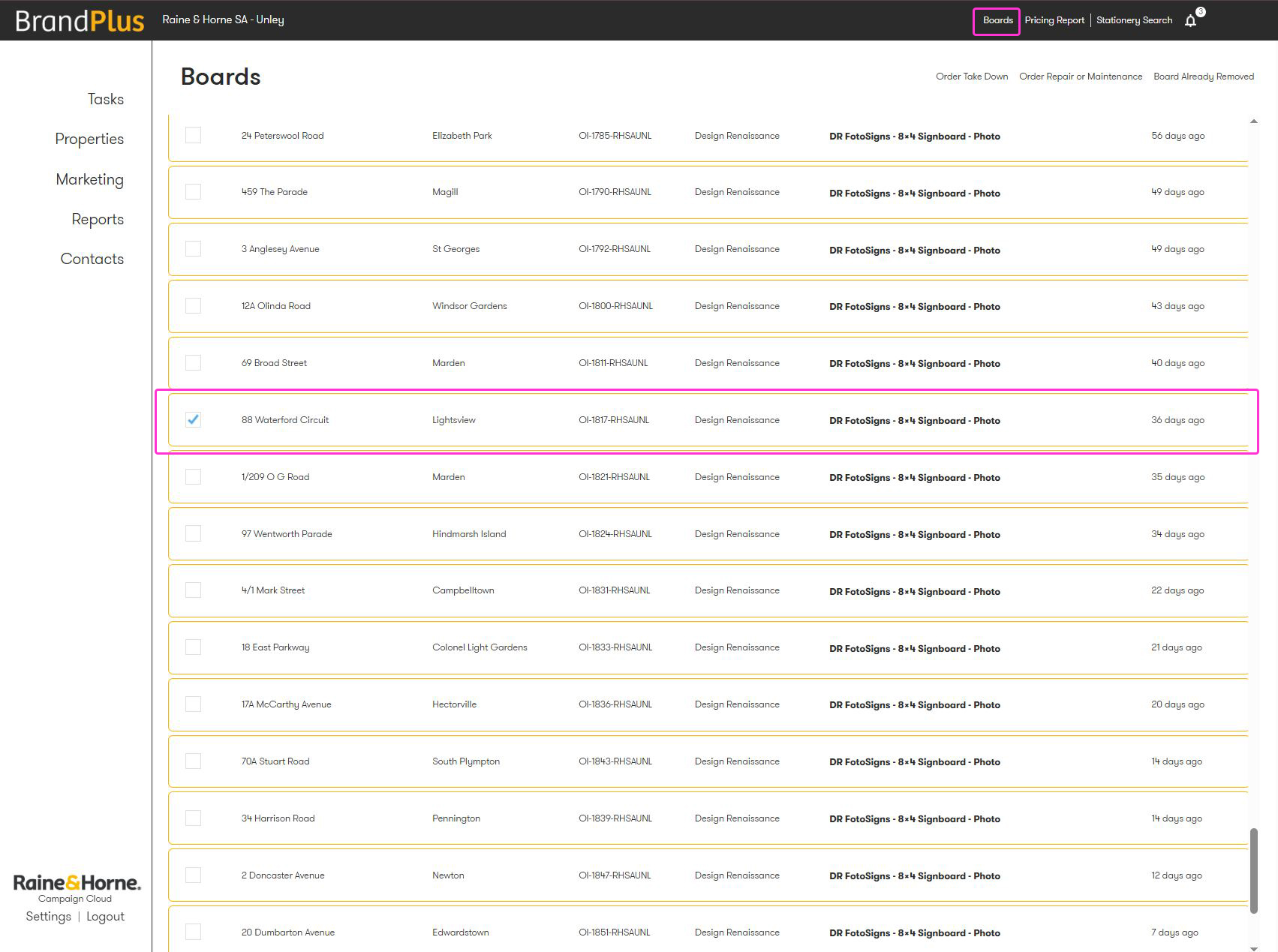
- On your home screen, you will see a button in the upper right labelled 'Boards'
- All currently installed boards will appear, as well as supplier, product & days since install
- Use the search bar at the top to locate the address
- Anything older than 60 days will be highlighted in charcoal
- You can click multiple tixkboxes and remove a bulk lot of boards
- The list display oldest to newest boards - Click your selected tick box and either select:
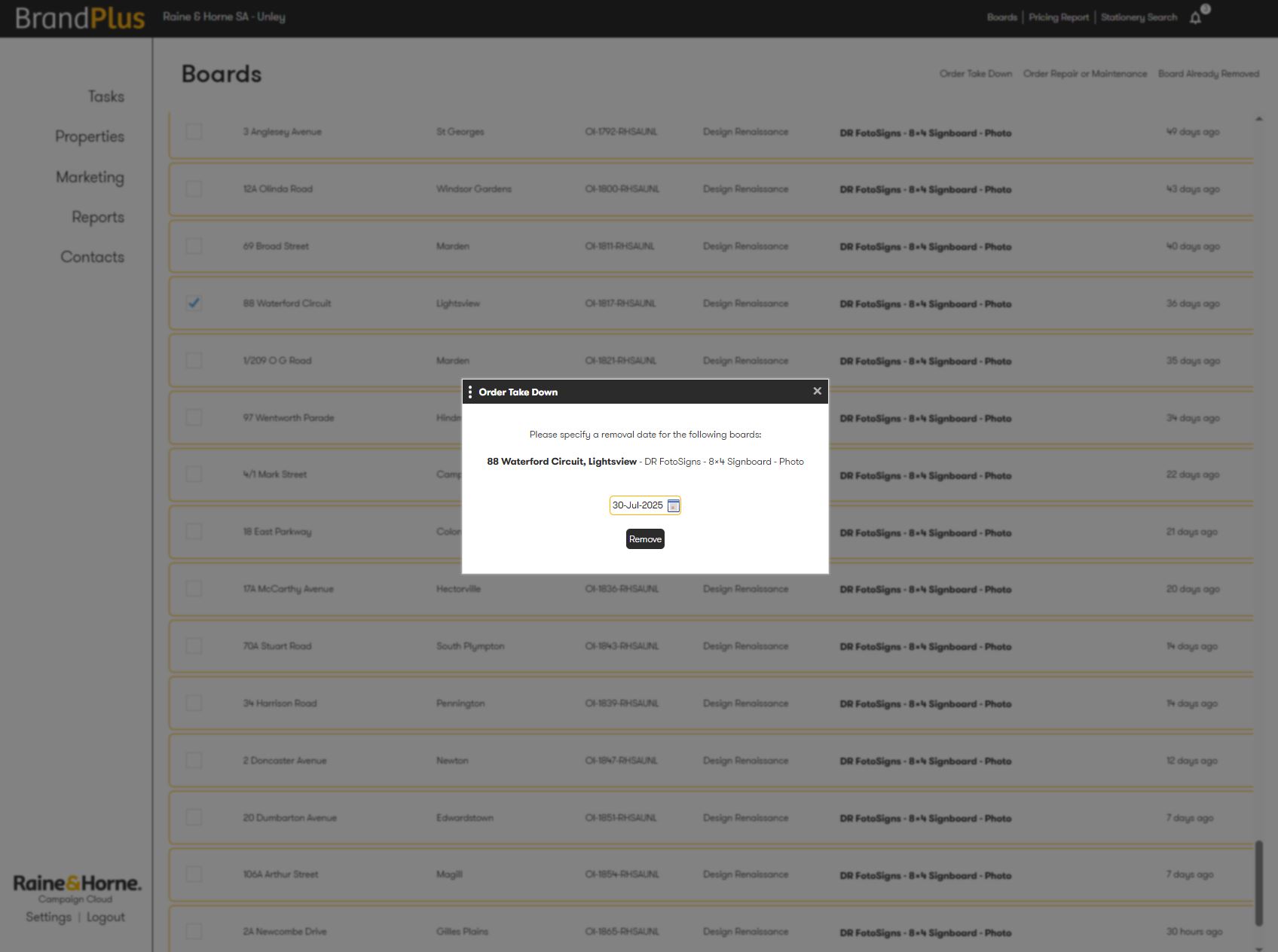
A. Order Take Down - For removal, select required date
B. Order Repair or Maintenance - For Signs that need attention from the supplier, please identify the issue
C. Board Already Removed - Use this if the board has been removed verbally, by email or for other reasons
A. Order Take Down
B. Order Repair or Maintenance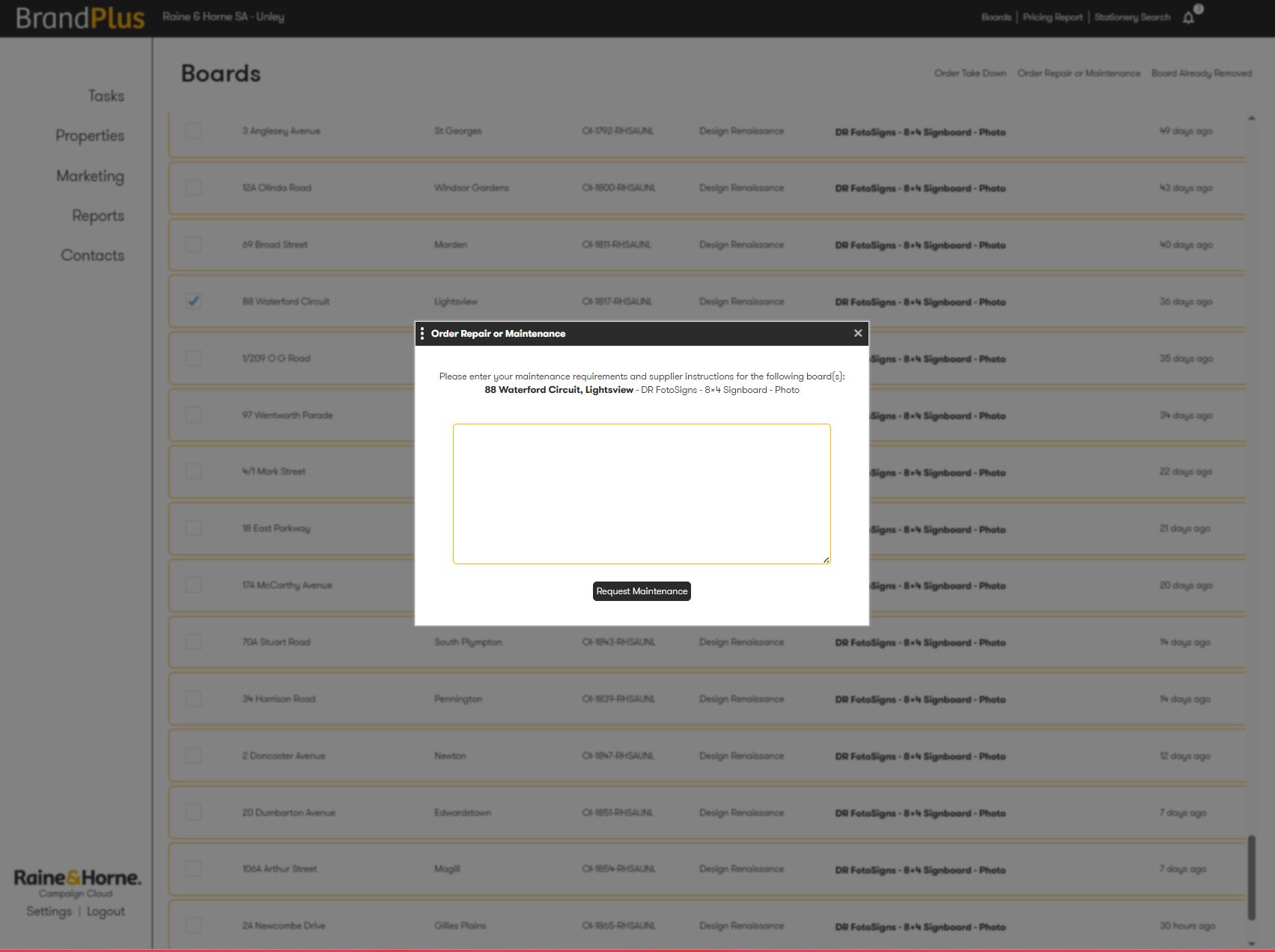
C. Board Already Removed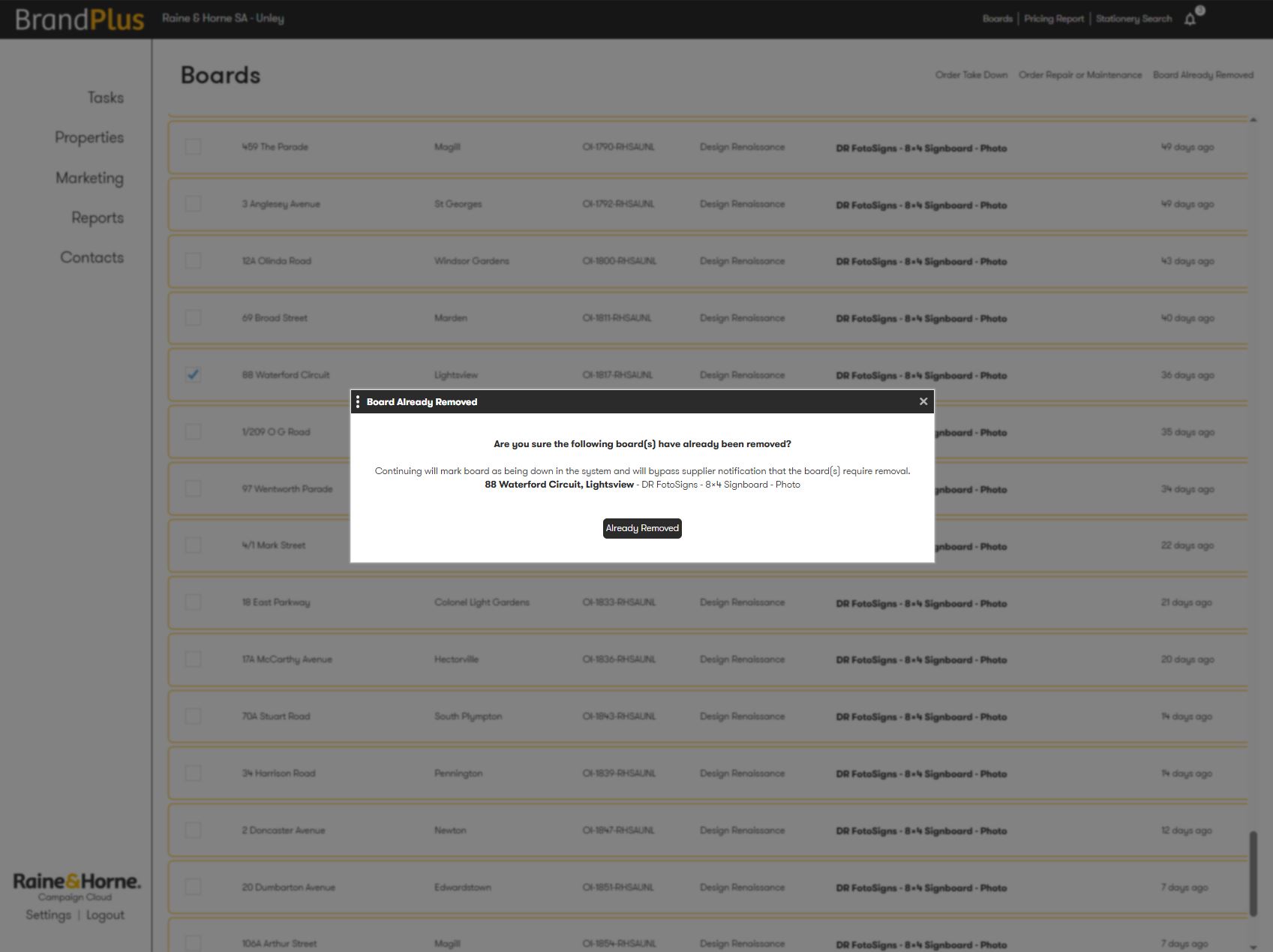
2. Contact Your Supplier Directly
Alternatively, you can reach out directly to your signage supplier to arrange signboard removal. They're responsible for the installation and collection of the physical signboard and can schedule its pick-up for a specified date.
Important: When ordering take-downs through your supplier, remember to manually mark the board as 'Board Already Removed' in BrandPlus. This ensures your online inventory remains clean and up-to-date.
Was this article helpful?
That’s Great!
Thank you for your feedback
Sorry! We couldn't be helpful
Thank you for your feedback
Feedback sent
We appreciate your effort and will try to fix the article