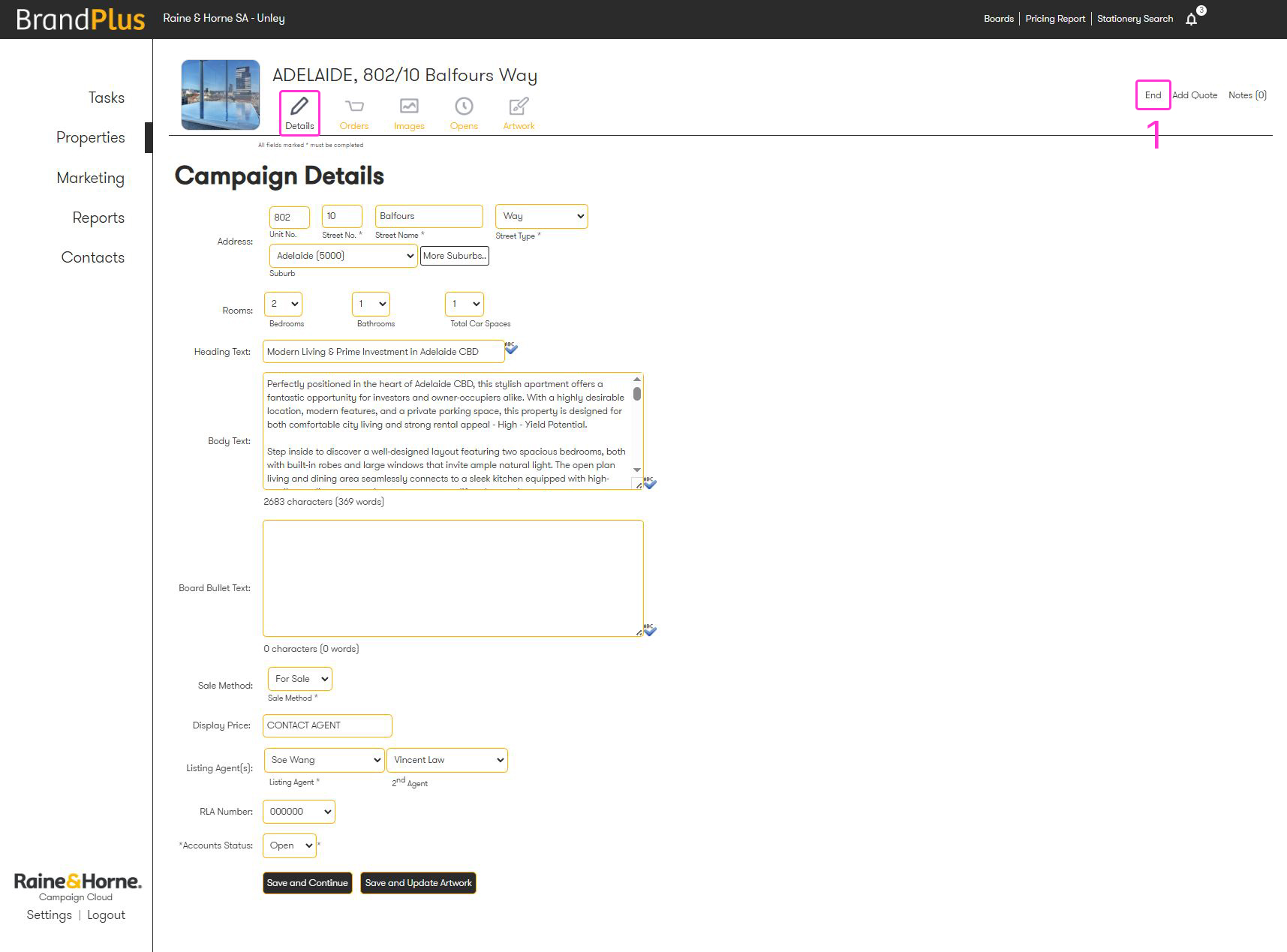
Ending campaigns is essential for maintaining a clean and organised property screen, which significantly reduces loading times. This practice also ensures accurate campaign management for all your listings. You can end a campaign by navigating to its details and selecting the 'End' button.
Navigate to your listing, and select the artwork tab
- Click the 'end' button
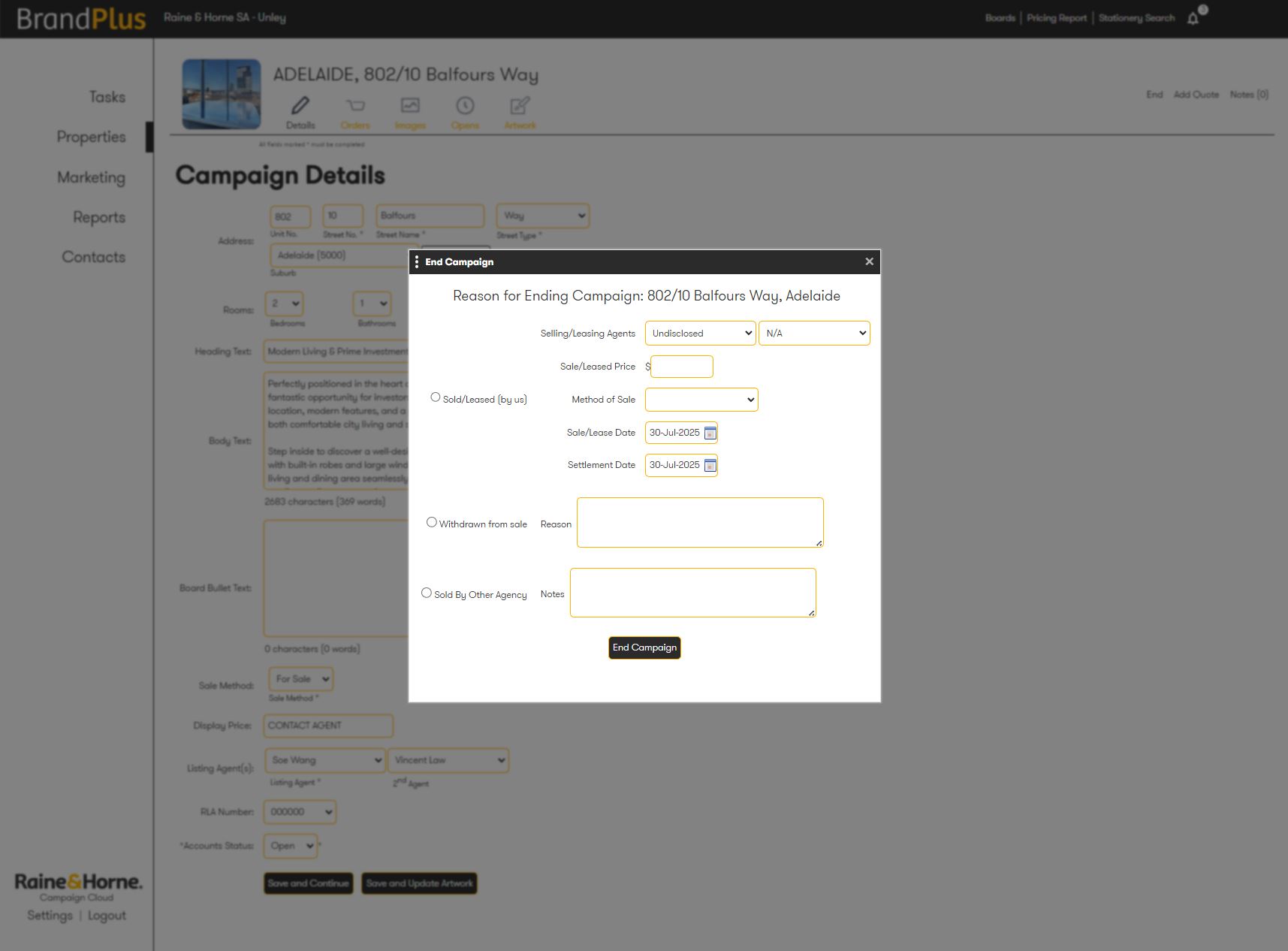
- A popup will appear, follow through with all required information and click 'End Campaign'
Related Articles
How do I reactivate a property campaign?
Was this article helpful?
That’s Great!
Thank you for your feedback
Sorry! We couldn't be helpful
Thank you for your feedback
Feedback sent
We appreciate your effort and will try to fix the article