If your listing can't be ended, usually it is because there are still items that haven't been approved in your order form. There is two ways to fix this issue.
1. Cancel order items via 'End' button
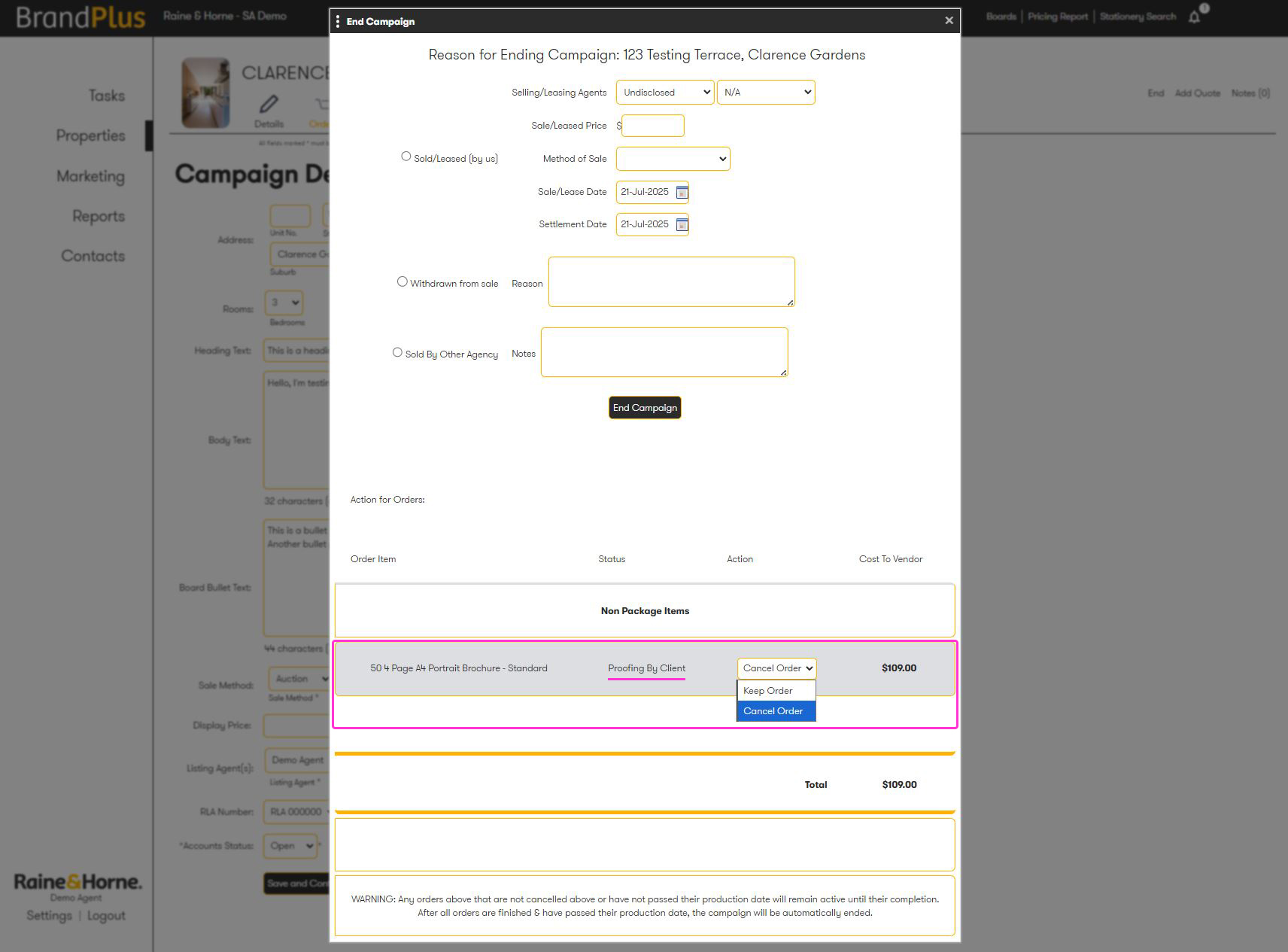
Using the article How to end a property campaign you can navigate how to end your campaign. A pop up will appear, under 'Action for Orders' cancel each item from the drop down. You should then be able to click 'End Campaign' without issue.
2. Order tab, cancel items individually
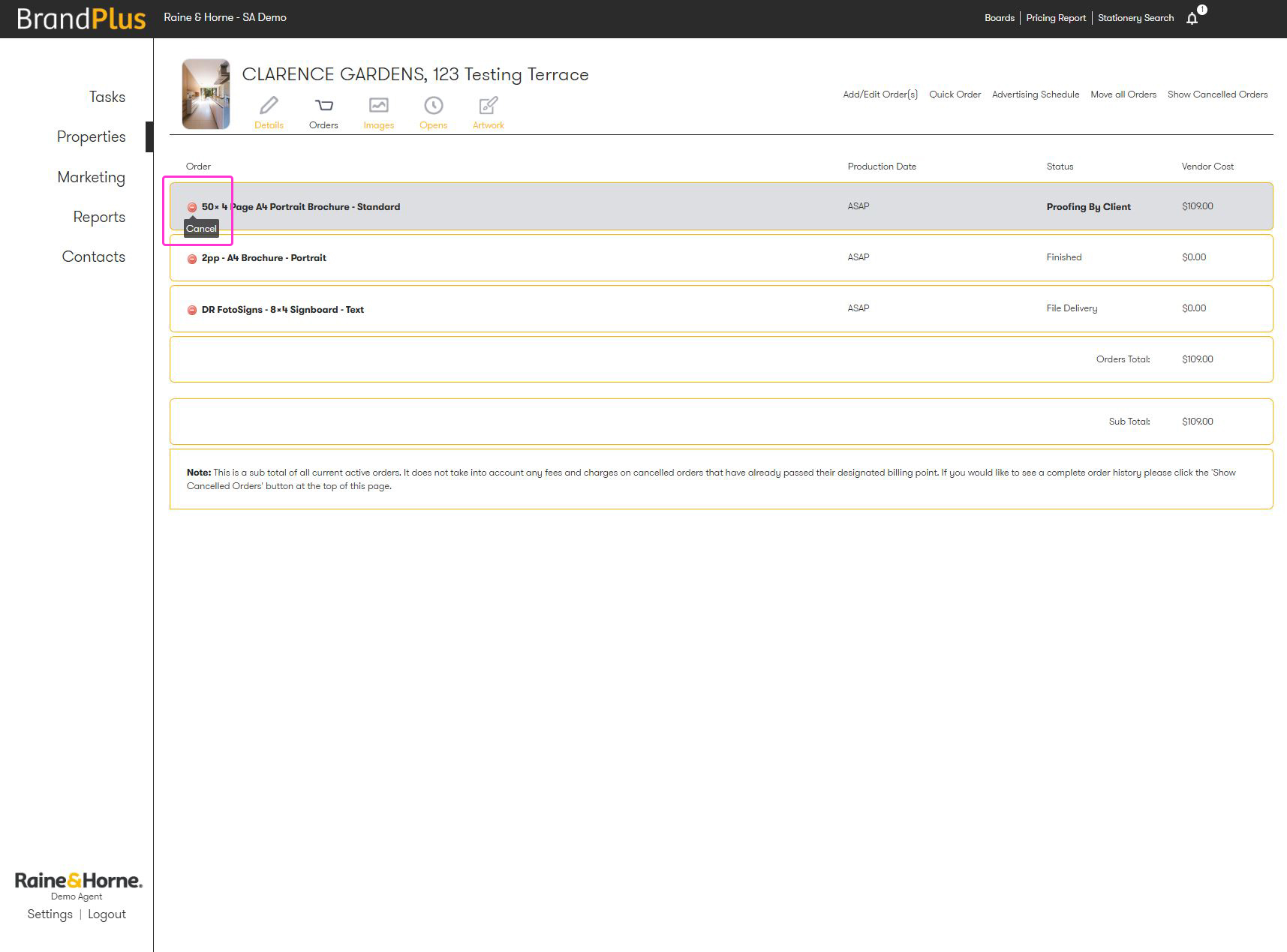
Alternatively, you can open the order tab and delete the items by clicking the red cancel button. Once these are removed, you should be able to end your listing without any issues.
Related Articles
How to end a property campaign
Was this article helpful?
That’s Great!
Thank you for your feedback
Sorry! We couldn't be helpful
Thank you for your feedback
Feedback sent
We appreciate your effort and will try to fix the article