If a buyer falls through, reactivating the campaign is a quick way to resume marketing for the same property and vendor. However, if it's been a few months, or you're working with a brand-new vendor, we suggest creating a new listing* or feeding one across from your CRM instead^.
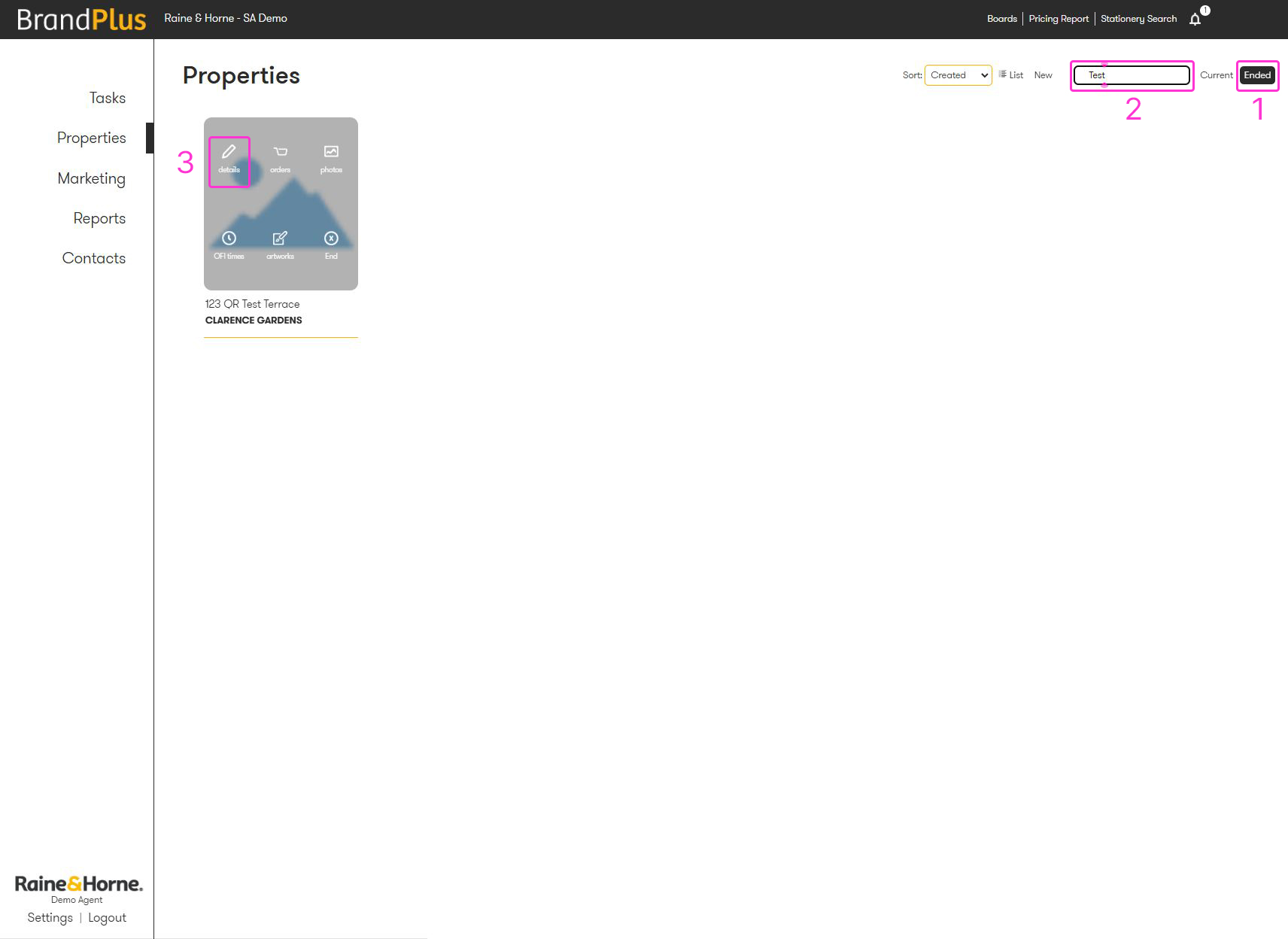
- From the Properties page of your account, switch your search filter to 'Ended'.
- Locate the specific listing you wish to reactivate.
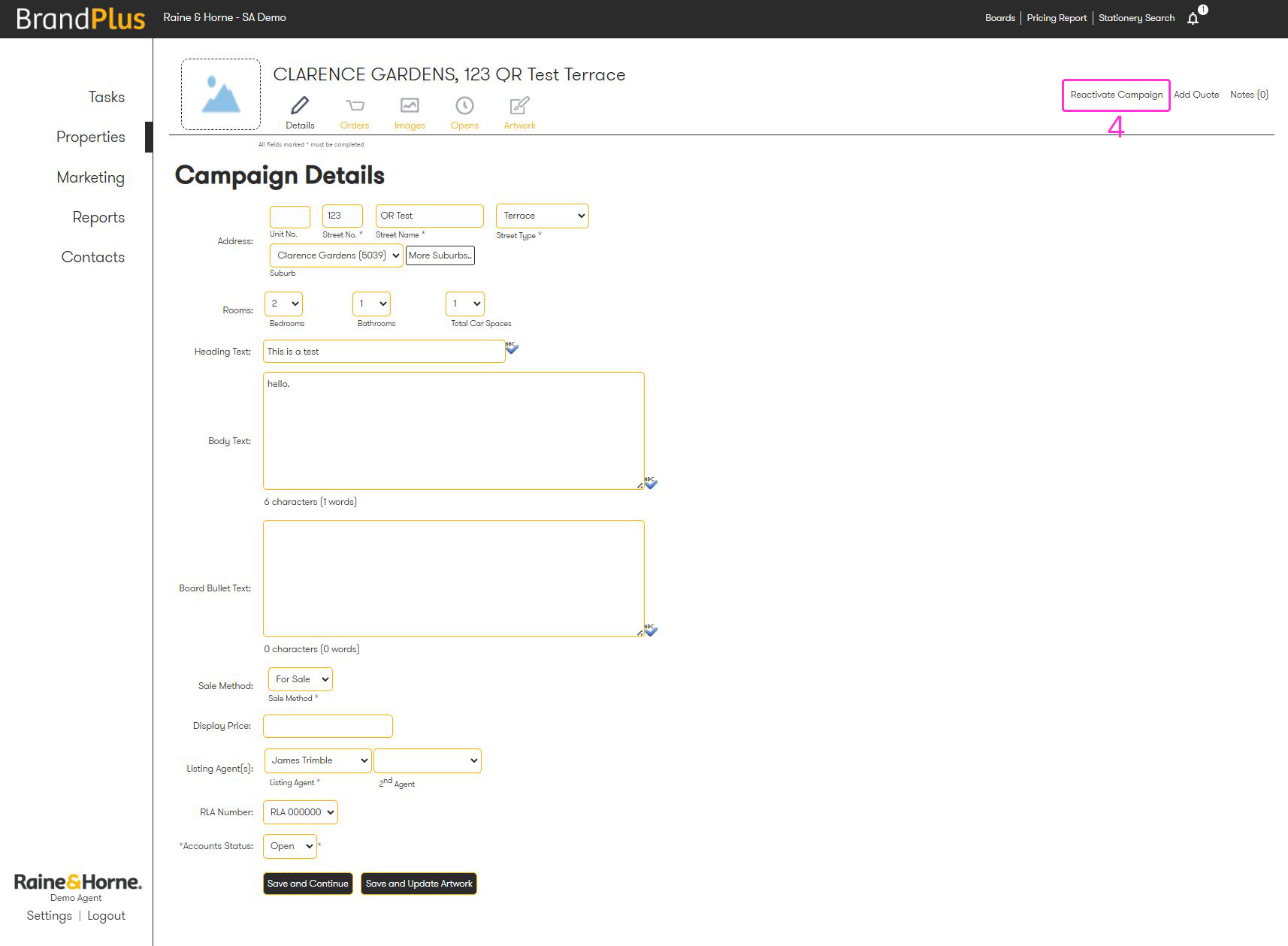
- Open the Details tab for that listing.
- Click the 'Reactivate Campaign' button.
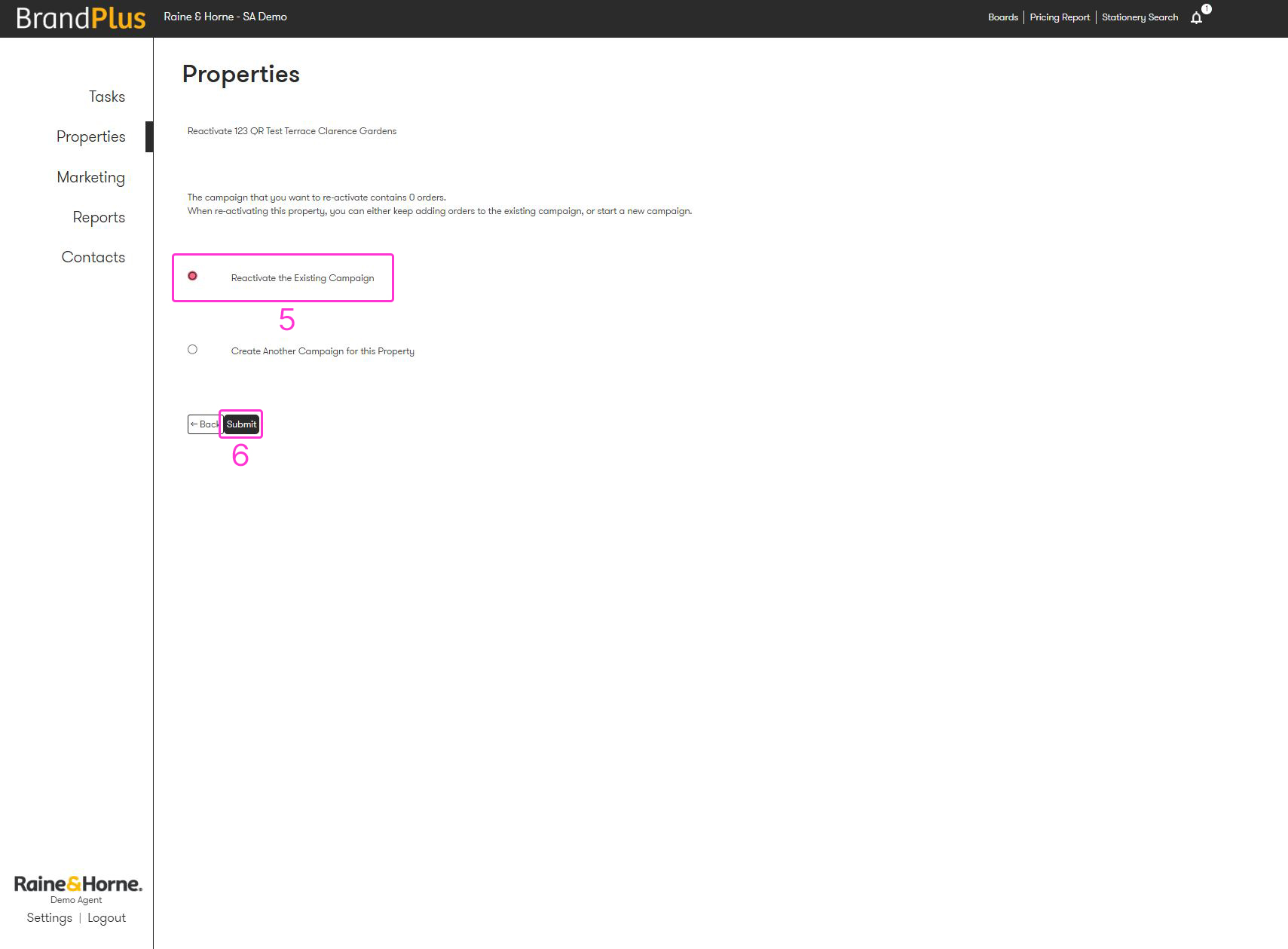
- Select 'Reactivate the Existing Campaign'.
- Click 'Submit'.
* Note 1: When at stage 5, you can click 'Create Another Campaign for this Property' which will be a manual direct copy
^Note 2: If you're using a CRM, you'll need to ensure your old listing is ended before the new one can feed across. This is why it's really important to keep your Properties tab tidy.
Was this article helpful?
That’s Great!
Thank you for your feedback
Sorry! We couldn't be helpful
Thank you for your feedback
Feedback sent
We appreciate your effort and will try to fix the article