To place a direct re-order for a product previously ordered for a property, you can easily do so by following these simple steps:
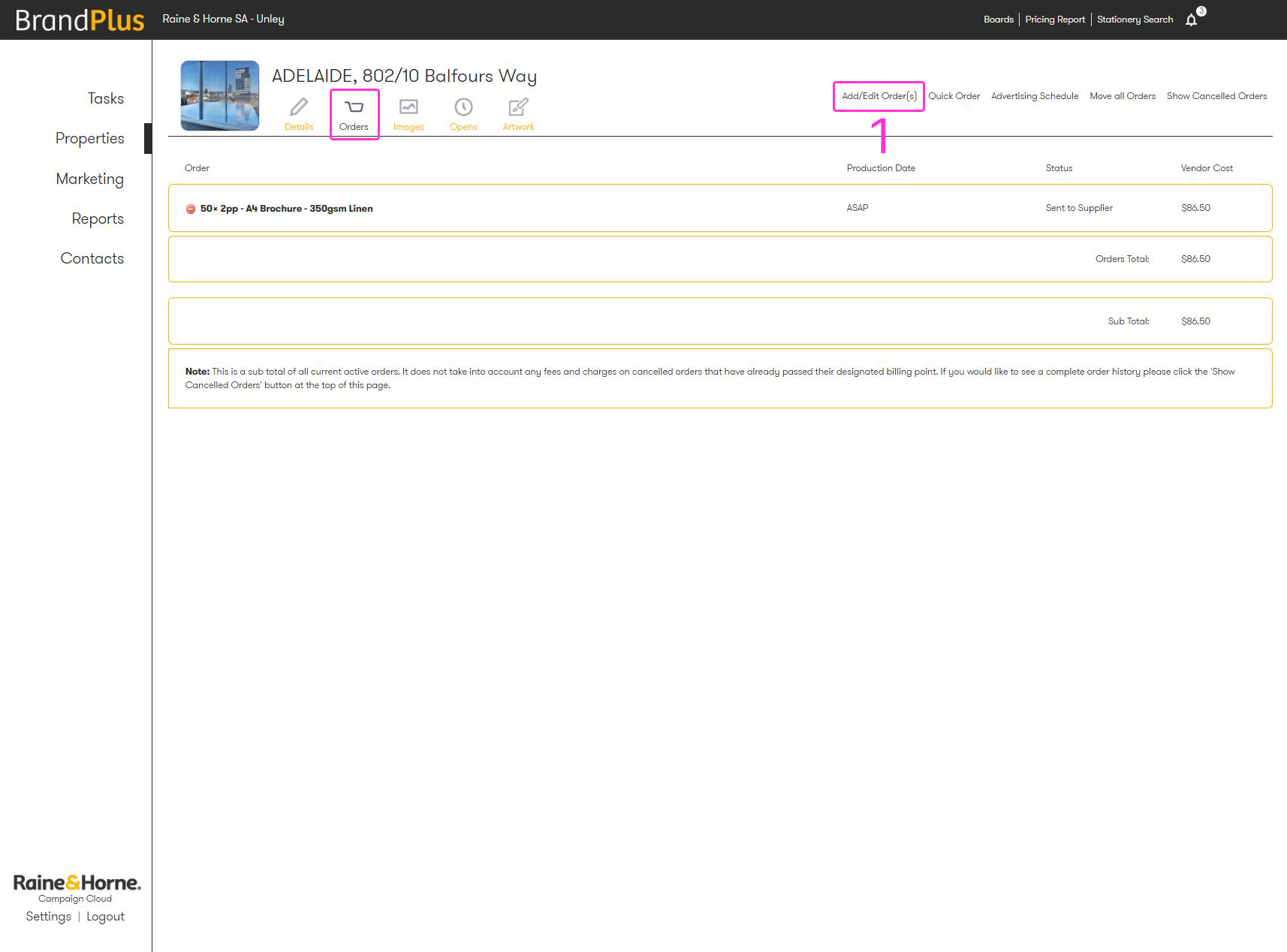
- From your Orders tab, select 'Add/Edit Orders'.
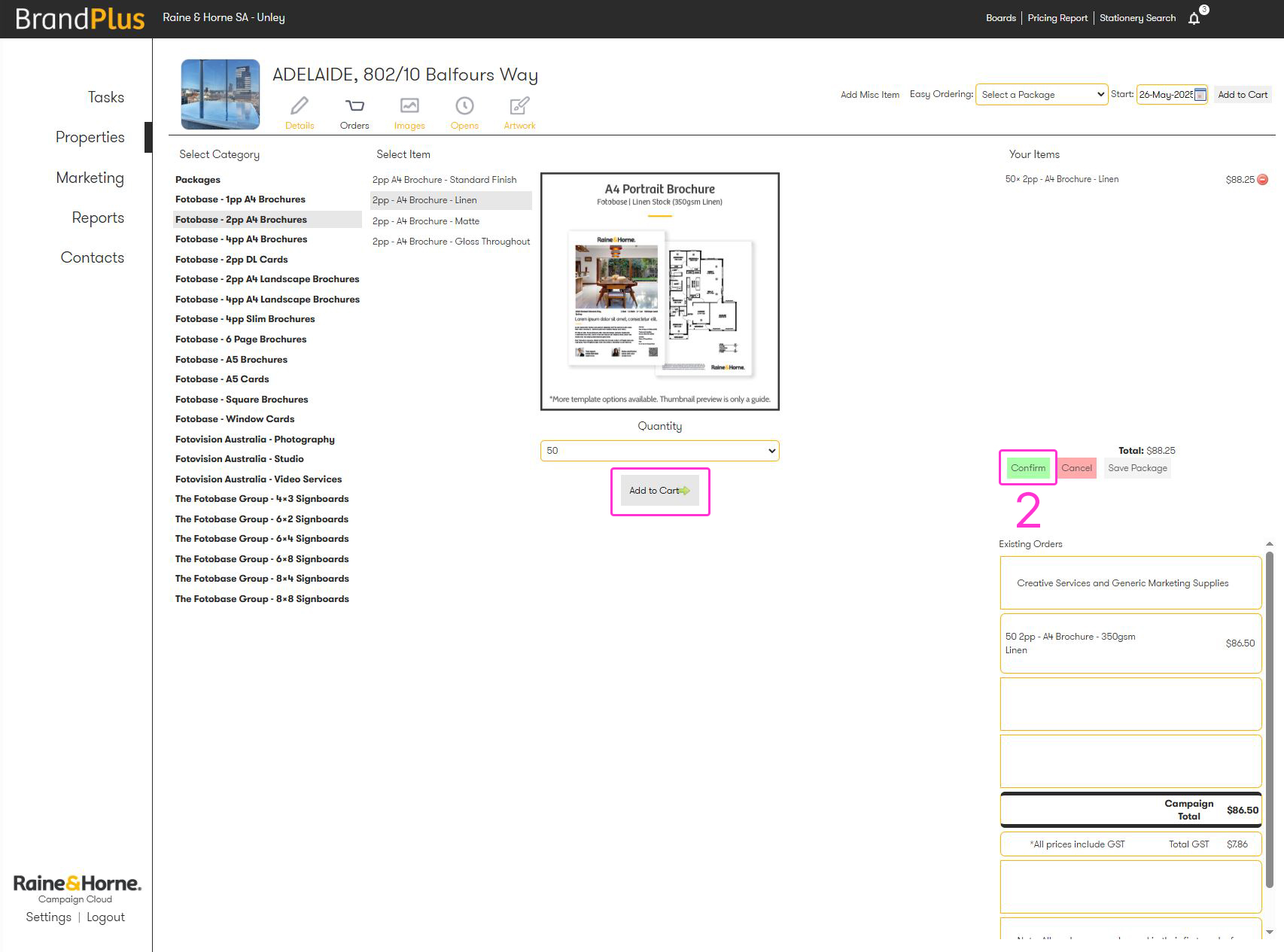
- Add the same item to your cart and click 'Confirm'. This creates a direct copy of what you ordered previously, and you can make any necessary tweaks or changes at this point
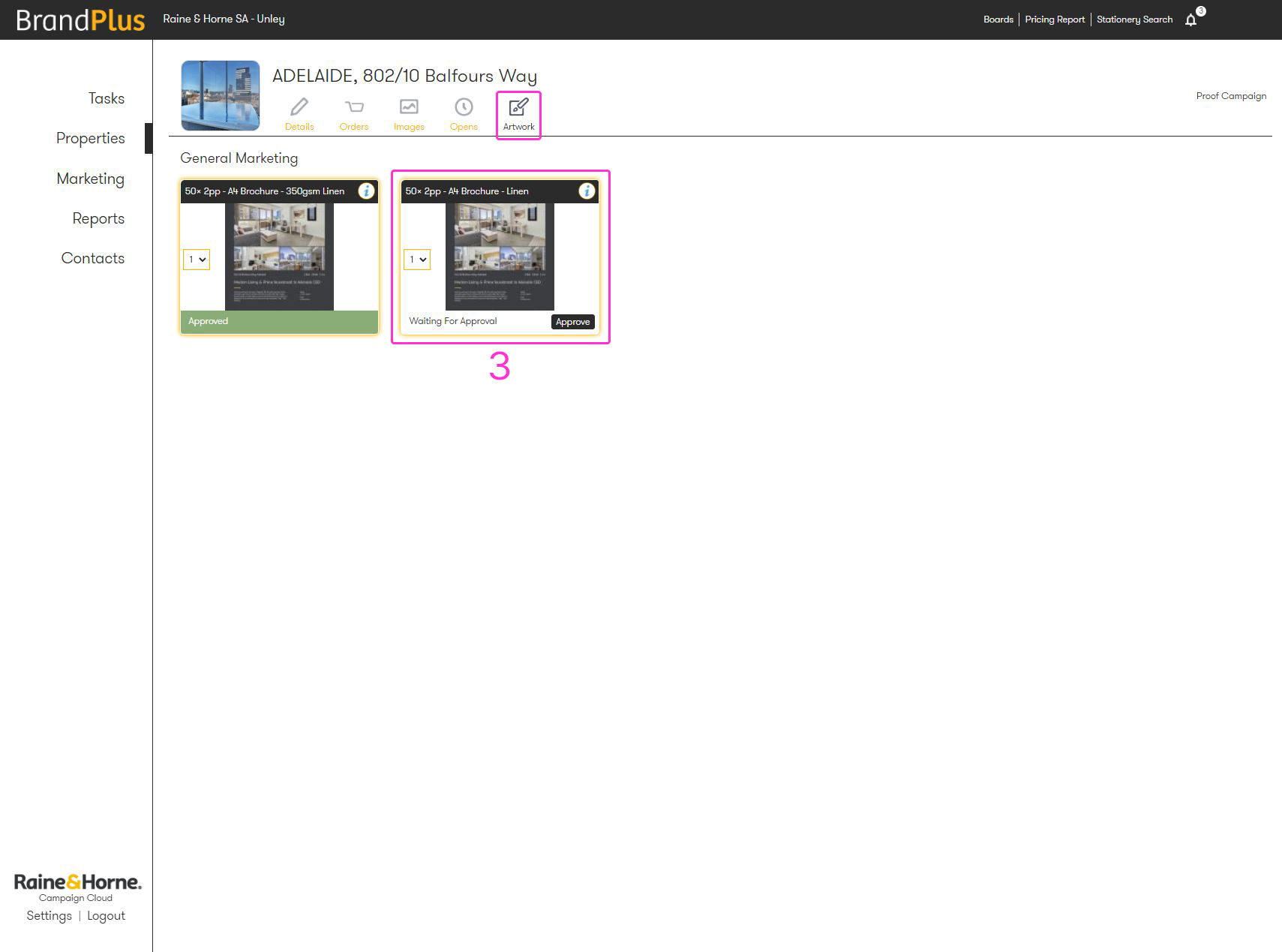
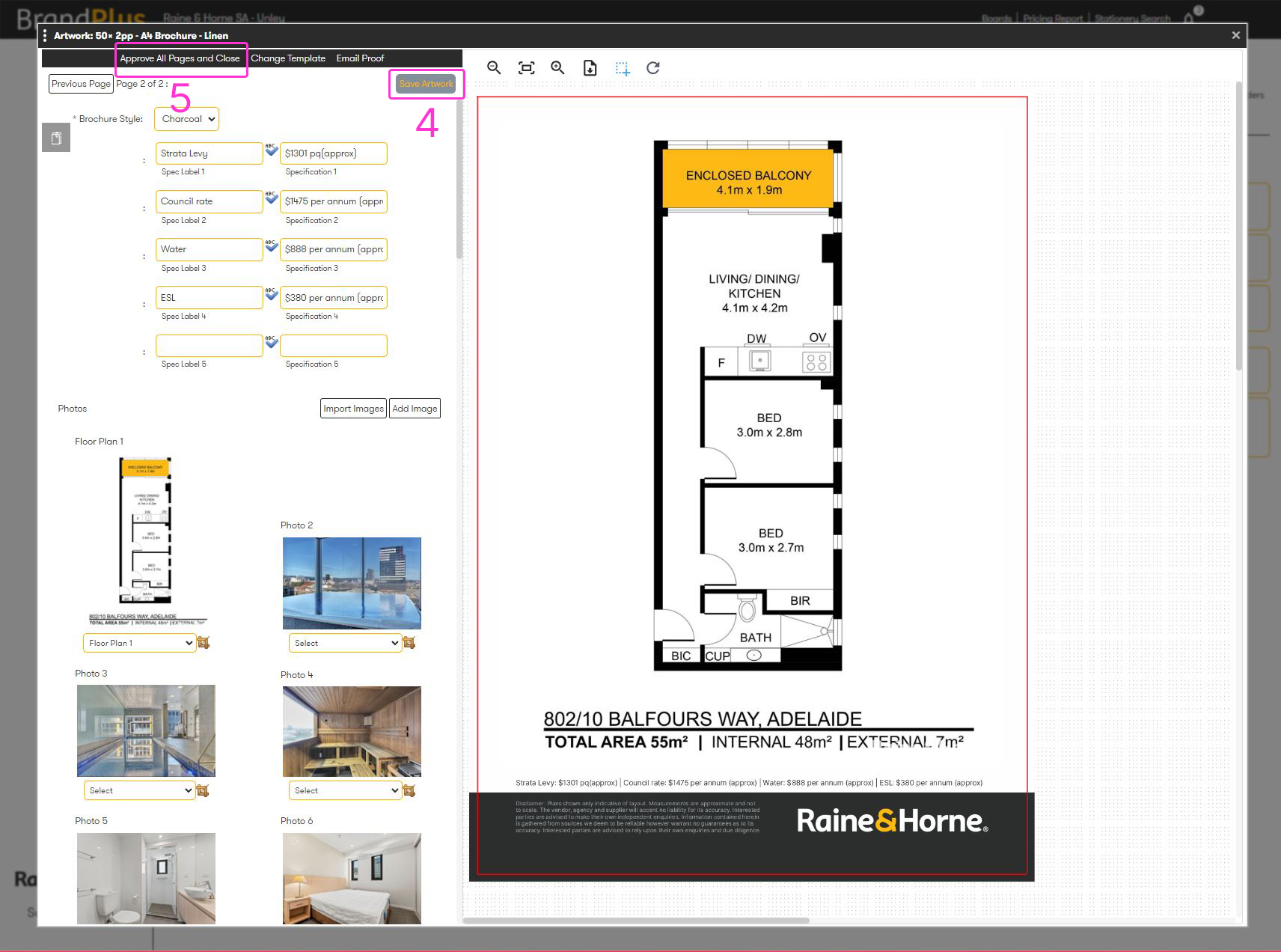
- Next, open the Artwork tab
- Save the pages of your proof
- Then, 'Approve all Pages and Close'
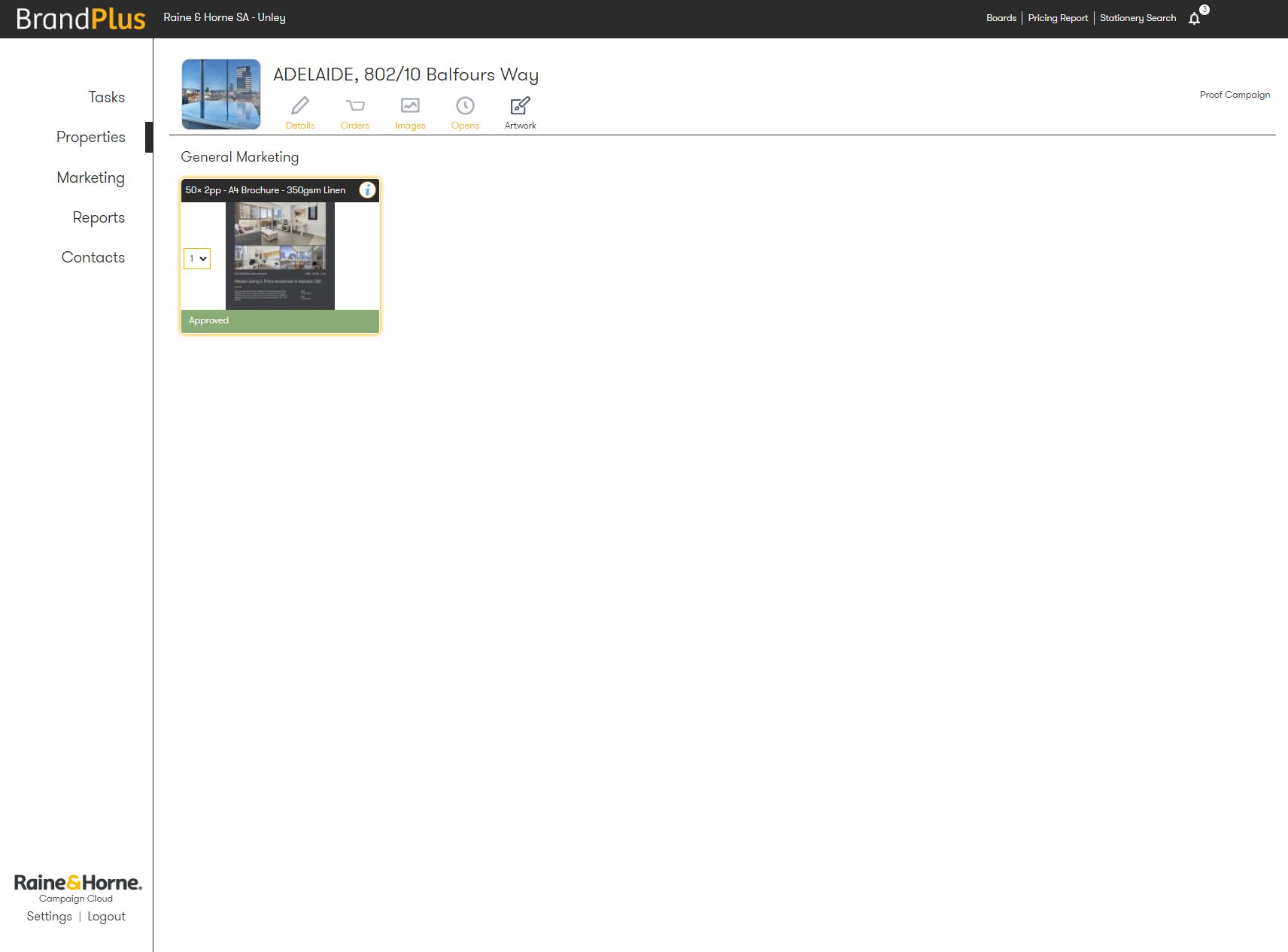
Below reference is showing that we have a previously approved piece of artwork.
This is what we're going to directly copy.
Related Articles
How do I order manual artwork?
How to order multiple signboards for the same listing?
How to order a brochure & an in-house window card
Was this article helpful?
That’s Great!
Thank you for your feedback
Sorry! We couldn't be helpful
Thank you for your feedback
Feedback sent
We appreciate your effort and will try to fix the article