Occasionally, you might not see or be able to select the 'Approve & Close' button even after completing your artwork. If this occurs, try the following:
- Re-open your artwork
- Re-select all images
- Confirm that an image is chosen in every dropdown
- Ensure you click Save and wait for the artwork to reload
Following these steps should then make the 'Approve & Close' button visible.
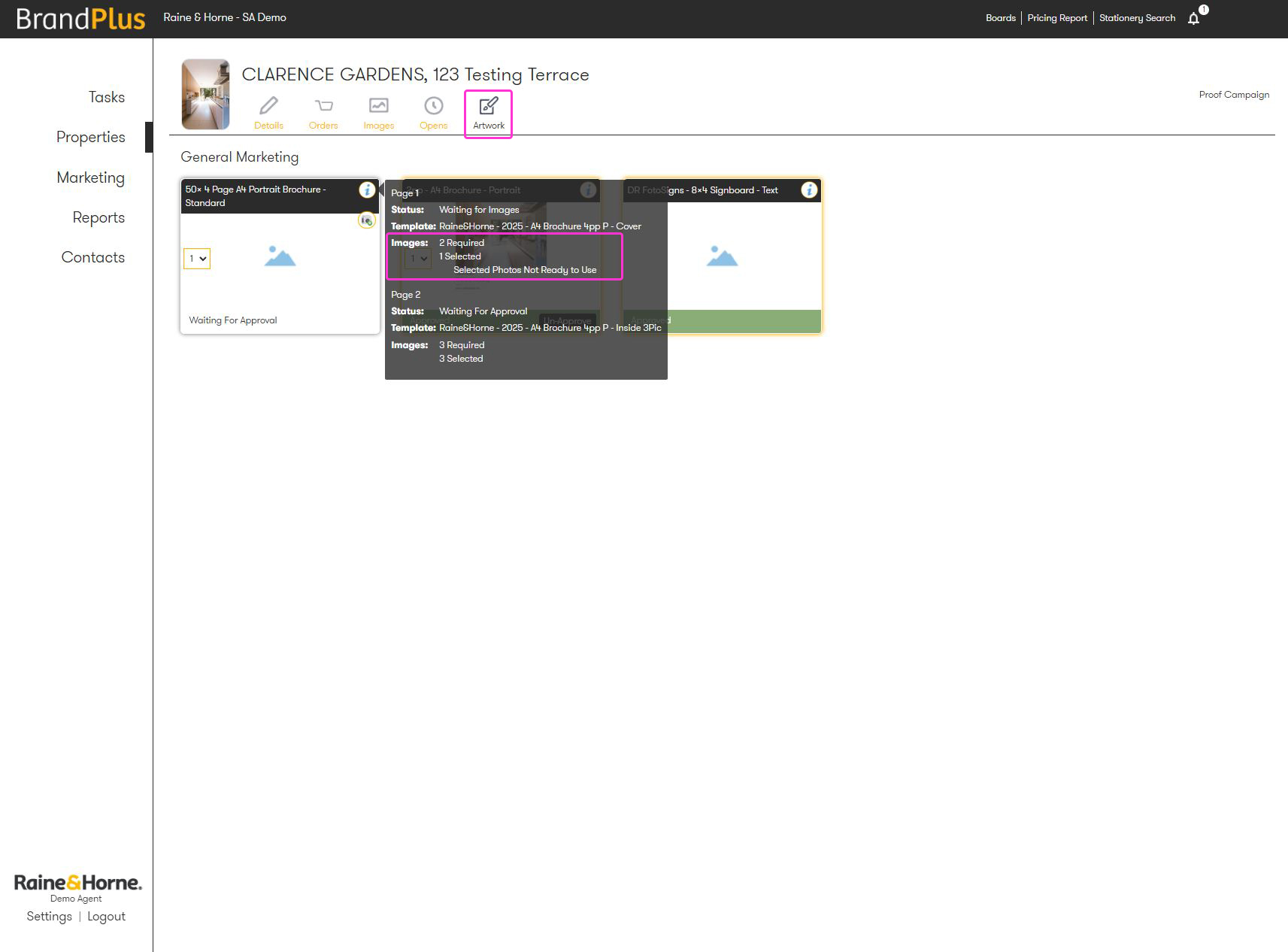
For larger documents, you can quickly review an overall list of pages and their selected images by opening the 'Artwork' tab. Simply hover over the information icon in the top right-hand corner of your saved artwork, and the details will appear in the pop-up.
Was this article helpful?
That’s Great!
Thank you for your feedback
Sorry! We couldn't be helpful
Thank you for your feedback
Feedback sent
We appreciate your effort and will try to fix the article