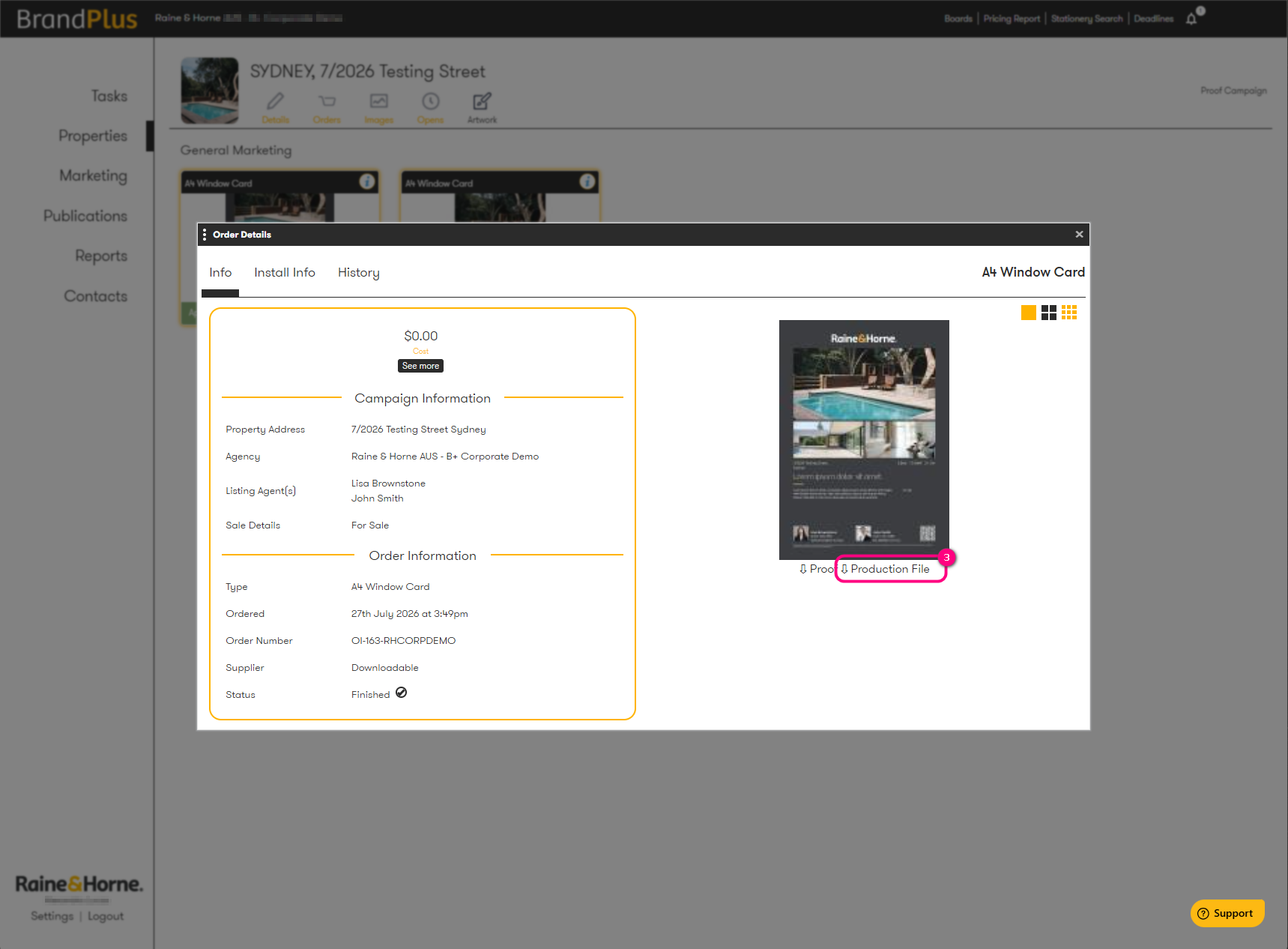
Once your product is approved, you'll have the option to download the high-resolution PDF from the Order Details window. Please note, you can only download high-resolution artwork for products labelled as 'downloadable'.
Follow these steps below:
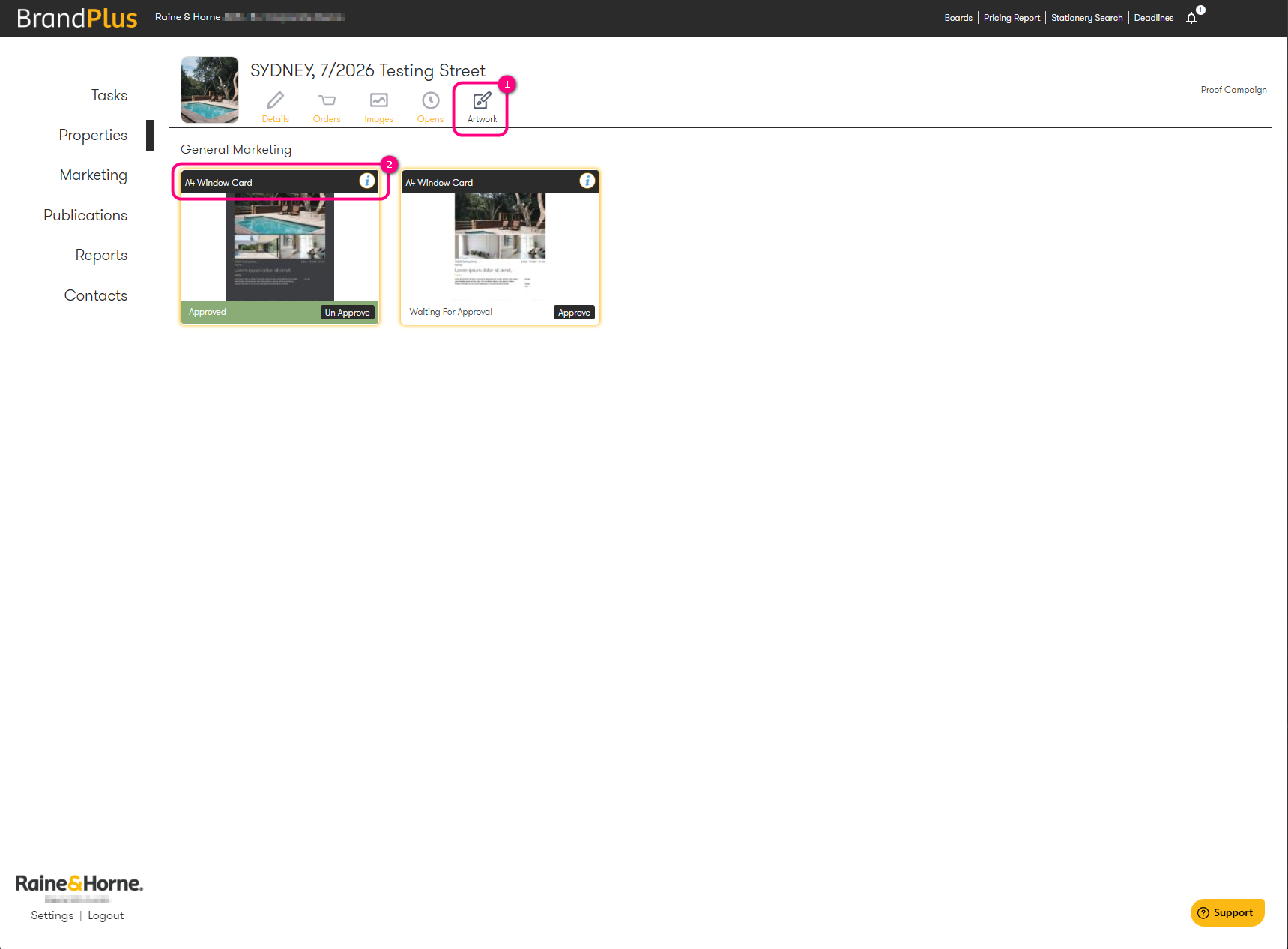
- Open the Artwork or Order tab of your property.
- Click on the product name of the approved artwork (e.g. A4 Window Card).
- In the pop-up window, you'll see a download button labelled 'Production File'.
Click this button to download the high-resolution file for print.
Was this article helpful?
That’s Great!
Thank you for your feedback
Sorry! We couldn't be helpful
Thank you for your feedback
Feedback sent
We appreciate your effort and will try to fix the article