If you're encountering an overset text error or can't add more text, it's because the text fields are templated to a specific size. Unfortunately, you won't be able to add more; you'll need to shorten your copy to fit within the designated area.

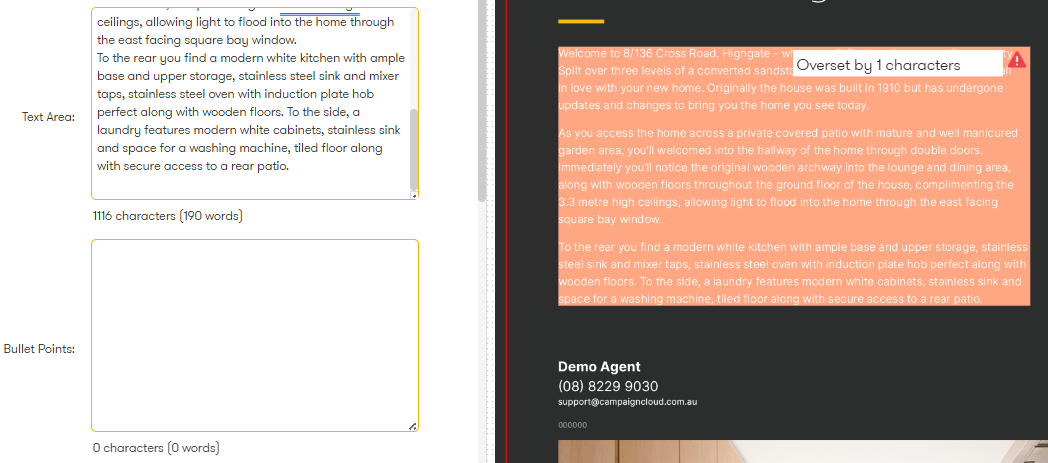
Overset Text Warning (Even When Text Appears Complete)
Sometimes, you might see an overset text warning even if all your copy is visible in the preview. This usually happens when there are hidden "enters" or "returns" (extra line breaks) after your paragraph. Simply remove these extra line breaks, and the warning should disappear.
Was this article helpful?
That’s Great!
Thank you for your feedback
Sorry! We couldn't be helpful
Thank you for your feedback
Feedback sent
We appreciate your effort and will try to fix the article