You can easily create multiple signboards for the same property, which is very useful if you're wanting to place boards on various frontages.
Here's how to create them:
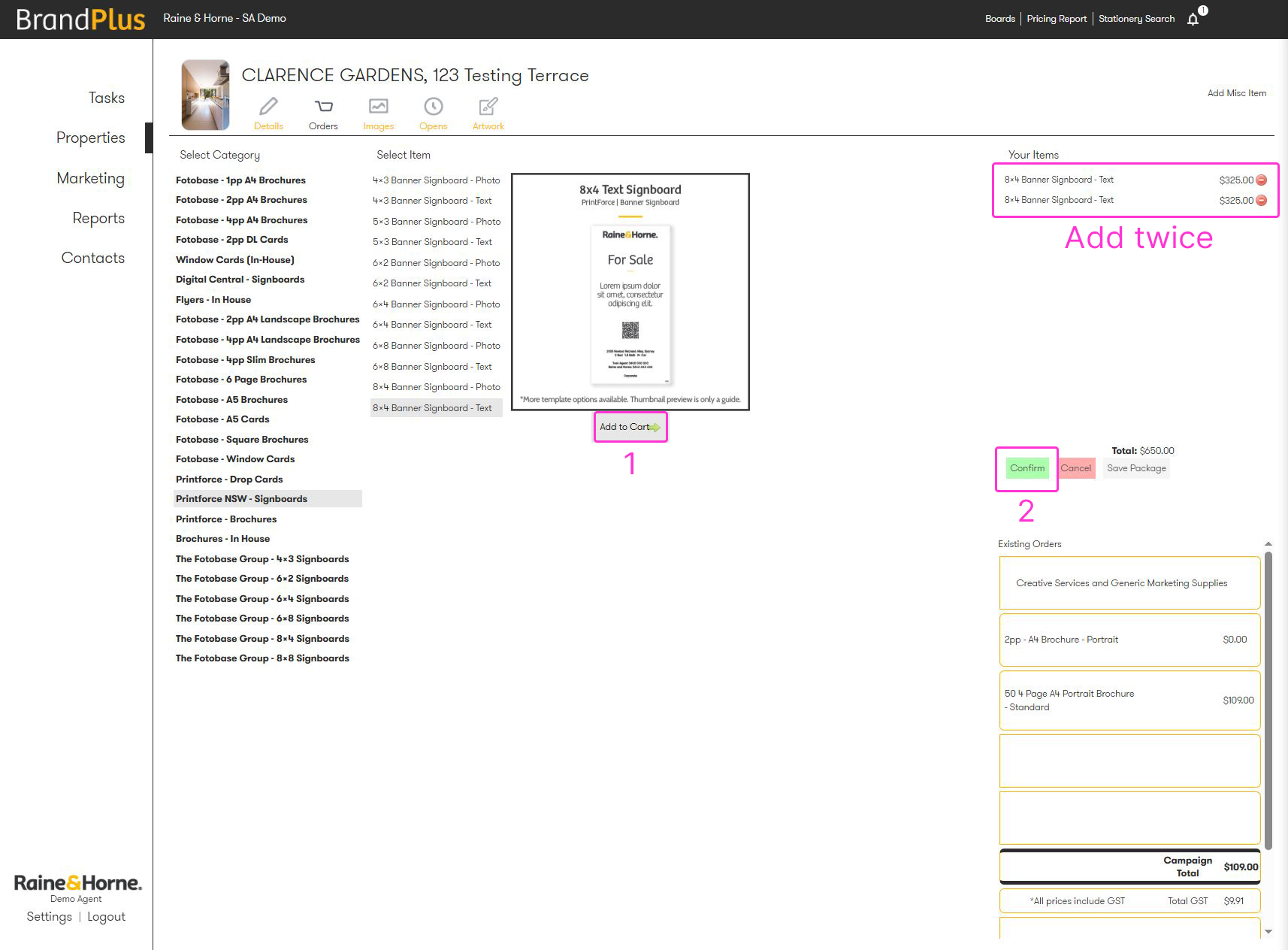
- Add the signboard item to your cart, then add another^ of the exact same item
- Click Confirm
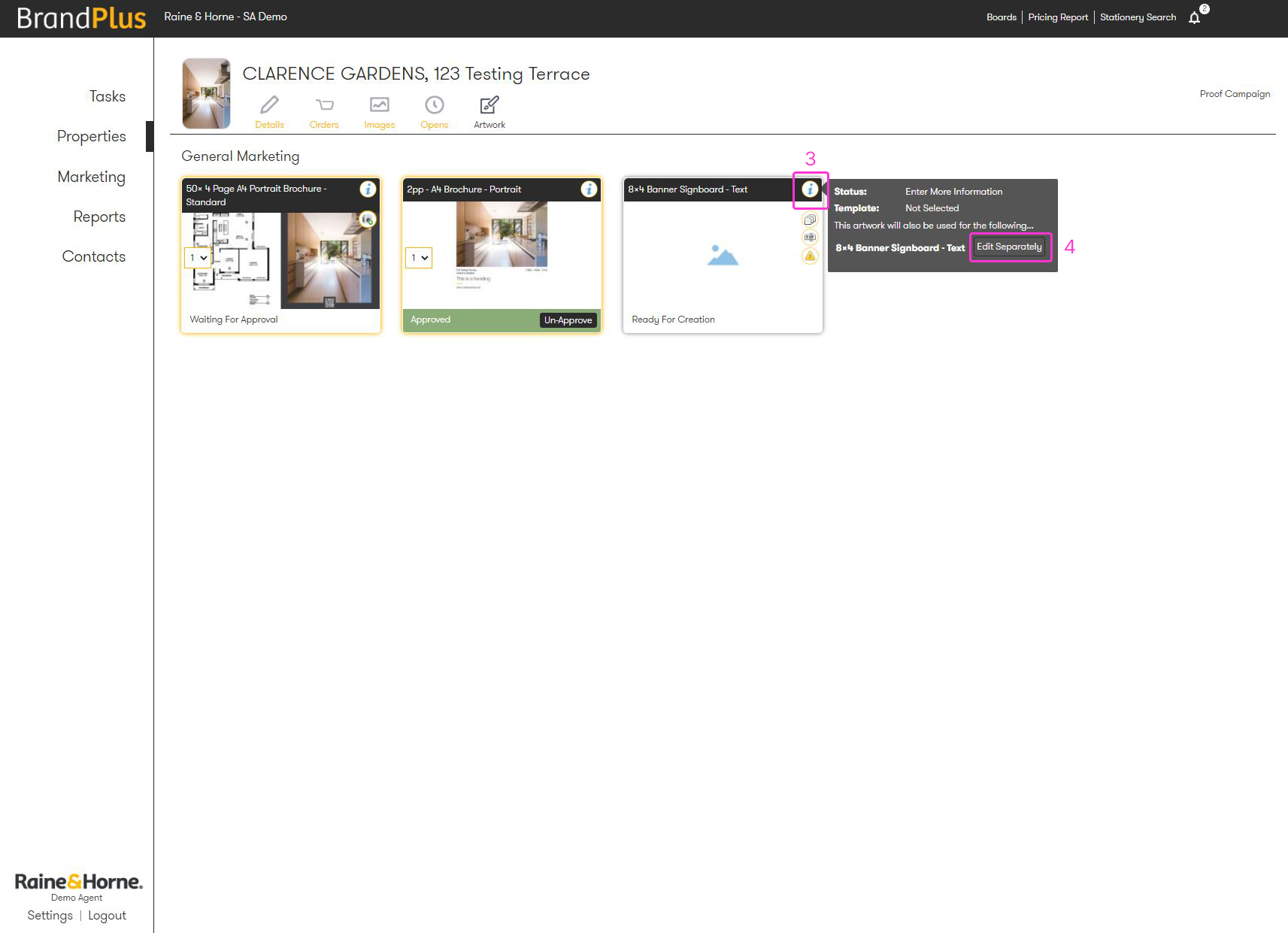
- Navigate to the Artwork tab and hover over the 'i' symbol (information icon) next to your signboard
- A dropdown will appear; click 'Edit Separately'
- Refresh your browser, and you'll now have two signboards ready to be edited individually
^Note: If you want multiple boards with the same content but different photos or headings, you can build and save your first piece of artwork, then add your second signboard. This will create a direct copy of your previously saved version, ready for your tweaks.
Was this article helpful?
That’s Great!
Thank you for your feedback
Sorry! We couldn't be helpful
Thank you for your feedback
Feedback sent
We appreciate your effort and will try to fix the article